Application note
Using GAMP® Methodology to Validate Environmental Monitoring System Software
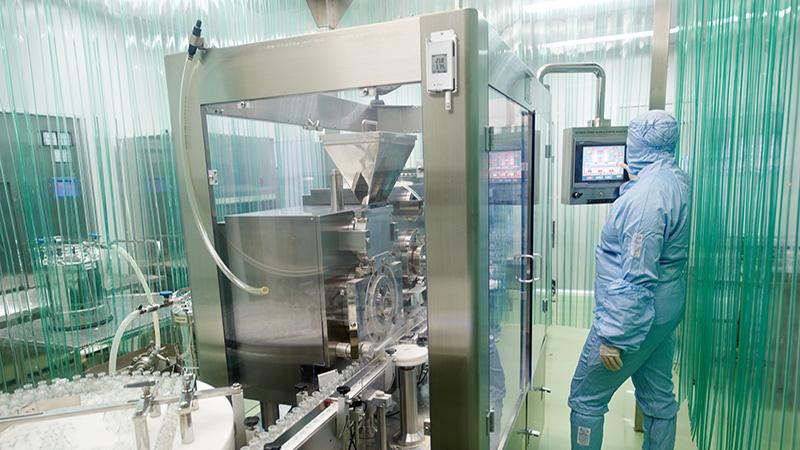


As automated systems, monitoring systems can be managed under ISPE’s GAMP® guidance, specifically “The GAMP® Guide for Validation of Automated Systems in Pharmaceutical Manufacture” and “ISPE GAMP® 5: A Risk-Based Approach to Compliant GxP Computerized Systems,” supporting compliance, quality, and patient safety through the structured, risk-based management of monitoring applications.
CMS validation: A GAMP®-based approach
Maintaining controlled environmental conditions is essential in GxP operations. A Continuous Monitoring System (CMS) automates this process, providing real-time alarms and accurate records to demonstrate that products were manufactured, processed, and stored within specification.
Like all software-based systems, a CMS has a lifecycle—from acquisition and installation through deployment, maintenance, and eventual retirement. This mirrors the software development lifecycle (SDLC) for GMP software. In this article, we focus on qualification and validation activities—areas that are often overlooked because monitoring systems run quietly in the background. Neglecting validation can lead to regulatory observations and difficult audit questions.
Using the GAMP® methodology offers a systematic, risk-based approach to help ensure that monitoring software remains compliant and performs as intended throughout its lifecycle. We present a 10-step guideline to streamline validation, integrate it into your Quality Management System, and align the level of effort with system complexity, based on GAMP® system categories. Applying GAMP® not only strengthens compliance but also extends the lifespan, reliability, and usability of your monitoring system.
This article presents a 10-step process with pathways tailored to different GAMP® system categories. Each pathway aligns the validation approach and level of effort with the system’s GAMP® category.
Key terms
Key Terms
A User Requirements Specification (URS) document defines what the end user needs the system to do. Requirements can be prioritized as mandatory, desirable, optional, or planned for future versions. Example: “The system must prevent false alarms during normal activities, such as door openings.”
A Functional Specification (FS) document describes the system’s functions and how they meet the URS requirements. It outlines methods for verifying compliance but does not detail the system’s internal design—focusing instead on interactions between the system and its end users.
A Traceability Matrix (TM) tracks requirements to ensure they are met. Typically presented as a table, it links each requirement or specification to its corresponding test. The TM guides test development and should be verified after testing to confirm that all requirements have been adequately addressed
Step 1: Define needs with a User Requirements Specification (URS)
The first step in selecting a Continuous Monitoring System (CMS) is to define your needs in a User Requirements Specification (URS). This should be done before choosing a system—though, in practice, it’s often skipped or delayed. In the GAMP process, the URS is the single most important document for ensuring a good system fit.
A URS describes the required functions of the CMS and can capture the needs of multiple stakeholders, helping build consensus in the selection process. Its primary goal is to align the CMS with your existing Quality Management System (QMS). The fewer gaps between the CMS and QMS, the lower your compliance and product safety risks.
Creating the URS can also uncover new functions or more efficient monitoring approaches. This makes it not just a compliance exercise, but an opportunity to be strategic, creative, and future-focused—ensuring the chosen system meets the needs of your environments, products, and quality processes.
A typical URS for a Continuous Monitoring System (CMS) should address core functions such as sensors, network, utilities, infrastructure, security, alarming, IT, and any facility- or product-specific needs. Each requirement should be SMART—Specific, Measurable, Attainable, Relevant, and Testable.
Defining Functional Requirements in the URS
Testing considerations should inform requirement writing: if a requirement cannot be tested, it will cause issues later. For example, in the Alarming section, you might specify:
- The system must notify personnel when sensor readings exceed thresholds.
- The system must allow configurable alarm delays from 0–60 minutes.
- The system must allow multiple high and low thresholds.
- The system must communicate alarms via SMS, email, and phone.
Such requirements are both specific and verifiable. URS development is best handled by a stakeholder committee, with each member contributing expertise. Early involvement helps secure later buy-in. Revisions are normal, and some requirements will inevitably go unmet. Unmet requirements should be documented for traceability, ensuring that any workarounds are transparent and integrated into the QMS. While system selection is a compromise, a URS that reflects genuine GxP needs—rather than simply matching what’s already on the market—drives both better fit and innovation from suppliers.
Step 2: Begin building a traceability matrix
The Traceability Matrix is the central tool for organizing the entire qualification process—starting with system selection. It links each requirement from the URS to a corresponding system function, ensuring every requirement is both implemented and tested.
Essentially a structured spreadsheet, the first column lists the URS requirements. The following columns—Functional Specification, Configuration Specification, and Test Protocol—are filled in as you progress through selection and qualification. This living document makes it easy to confirm that every requirement is addressed, every function is verified, and nothing critical is overlooked.
| Requirement | Functional Specification | Configuration Specification | Test Protocol |
| The system must prevent false alarms due to normal activities such as door opening. |
Step 3: Audit Vendors and Select a Product
The next step is to find a system that meets the requirements in your URS. Use the URS as a reference to evaluate each potential CMS for alignment with your Quality Management System (QMS). Consider additional constraints such as acquisition budget, long-term cost of ownership, and your firm’s validation capabilities. For example, can you manage installation and qualification in-house, or will you need vendor or contractor support?
Your goal is to create a shortlist of candidate systems for deeper evaluation. Vendor audits can take two forms:
Audit the vendor’s quality system and facility to assess their commitment to quality.
Audit the CMS itself using your traceability matrix. Make a copy for each system, then compare its capabilities against your requirements.
Often, the most significant differentiator between systems will be the software type, as defined by GAMP guidance.
Step 4: Determine Your Software Type
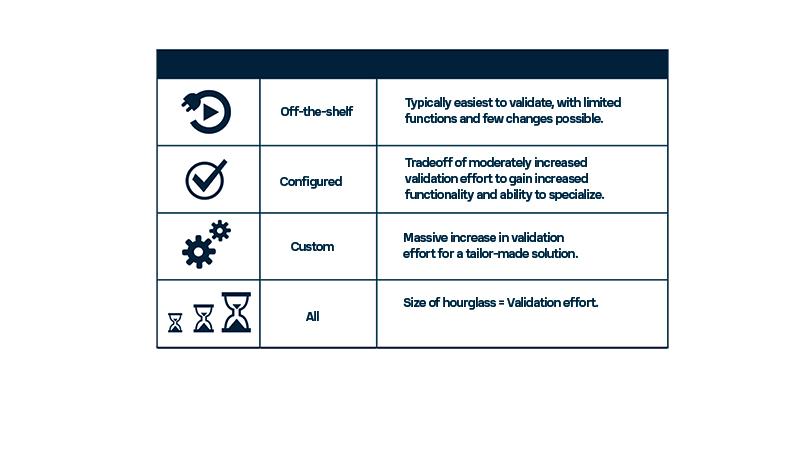
The ISPE’s GAMP guidelines classify software into five categories; for monitoring systems, the key types are:
Category 3: Off-the-shelf (GAMP 4: “Standard,” GAMP 5: “Non-configured”) – Ready to use “plug-and-play” software with only run-time configuration (e.g., setting report headers, default printers, or user types). No changes to business processes or custom coding.
Category 4: Configured (GAMP 4: “Configured software,” GAMP 5: “Configured products”) – Requires setup beyond run-time to align with business processes, such as custom drop-down menus or specific report formats. Uses standard, supplier-tested code—no new code is written.
Category 5: Custom (GAMP 4: “Custom software,” GAMP 5: “Custom products”) – Involves new code, from fully bespoke applications to small VBA macros in Excel. All new code must be tested by the user, as it has not been validated by the supplier.
These categories help estimate the effort and cost of validation, and clarify how a new system will integrate into your quality processes.
FAQ: What about monitoring systems in parallel?
Some firms operate both a Building Management System (BMS) and a Continuous Monitoring System (CMS) in parallel, demonstrating to inspectors a strong commitment to maintaining uninterrupted records. Typically, one is designated as the “system of record” and the other as the “control system.” However, BMS outputs often involve diverse sensors and custom programming, making GMP validation expensive. A cost-effective alternative is to use an off-the-shelf CMS designed for GxP applications as the system of record. This approach simplifies validation, provides audit-ready documentation, and offers redundant recording to ensure continuous data during power or network outages.
Step 5: Develop a Functional Specification (FS) Document
Once you have shortlisted candidate systems, create a Functional Specification (FS) document. The FS describes each function of the software and explains how it fulfills the requirements outlined in the URS.
For off-the-shelf or configured systems, the FS should be specific and detailed—often a draft version can be provided by the vendor. For custom systems, the FS may be less defined initially, as the system does not yet exist; in such cases, the developer (including in-house teams) is responsible for producing it.
As you create or review FS documents, you may identify new applications or features for the CMS—these should be added to the URS to ensure alignment. Each URS requirement must be linked to a corresponding function, and each function documented in the traceability matrix to support verification and testing.
| Requirement | Functional Specification | Configuration Specification | Test Protocol |
| The system must prevent false alarms due to normal activities such as door opening. | The system will have configurable alarm delays function to prevent false alarms. |
The URS and FS will rarely match exactly, and updating the traceability matrix helps confirm which requirements are met and which are not. Not all requirements carry equal weight—some are essential, others merely “nice to have.” Work with stakeholders to prioritize them, and update the URS to note any unmet requirements along with documented workarounds.
At this stage, finalize your system selection. Remember: the chosen software type—Category 3, 4, or 5—directly impacts validation effort. Category 3 (“off-the-shelf”) typically requires no additional specifications, allowing you to proceed directly to test document development (Step 7). Category 4 and 5 systems demand more documentation before testing. Most monitoring systems fall under Category 4, while Category 5 often involves multiple devices from different suppliers with custom code for integration.
Tip: Validation resources scale with system complexity—plan accordingly.
FAQ: How is GAMP enforced?
GAMP is industry guidance—recommendations from subject-matter experts designed to help ensure pharmaceutical products are manufactured to the highest quality standards. A core GAMP principle is that quality should be built into every stage of manufacturing.
While GAMP is not a regulatory requirement, it is widely recognized as best practice. Auditors may question deviations from its recommendations, expecting you to explain what alternative approach you used and why. If you depart from GAMP-aligned practices, be ready to justify your decision with sound reasoning and documented evidence.
Step 6: Develop Detailed Specification (DS) Documents
Detailed Specification (DS) documents describe how the system will be configured or programmed to perform the functions defined in the Functional Specification (FS). These documents are not needed for Category 3 systems, which are already in final form.
Category 4 (Configured Systems)
The DS is called a Configuration Specification (CS). It details how the system will be set up to align with business processes—such as parameter settings, menu options, and report formats. Configuration typically occurs on-site after installation and may be performed by the vendor.
Category 5 (Custom Systems)
The DS is called a Detailed Design Specification (DDS). Since the system does not yet exist, the DDS defines in detail how it will be structured, programmed, and operated—expanding on the FS. This is why Category 5 systems require the most testing and documentation. (DDS development is beyond the scope of this article.)
All CS or DDS elements should be recorded in the traceability matrix next to the requirements and functions they address. The configuration descriptions must be specific enough to support both setup and testing of each function.
| Requirement | Functional Specification | Configuration Specification | Test Protocol |
| The system must prevent false alarms due to normal activities such as door opening. | The system will have configurable alarm delays function to prevent false alarms. | The alarm delay function will be configured for a 10 minute delay prior to alarm activation. |
Step 7: Develop testing documents
Once specifications are finalized, testing document development can begin. This is required for all system categories and must address every GMP-related item in the URS, FS, and CS. Use risk assessment to focus on true GMP functions—your S.M.A.R.T. requirements will help identify what must be tested versus what can be excluded.
Enter each testing protocol into the traceability matrix to confirm coverage. For example, if your URS specifies a 10-minute alarm delay, add “Alarm Delay Testing” to the matrix to verify correct configuration and function.
Testing requirements vary by system type:
Category 3 – Requires IQ and OQ only. PQ is unnecessary because business processes can’t be altered, and OQ fully tests all functions.
Category 4 – Requires IQ, OQ, and PQ. PQ confirms configured functions meet process needs.
Category 5 – Most extensive: code review, module testing, FAT, commissioning, SAT, IQ, OQ, and PQ.
All system types require commissioning and SAT as part of hardware installation. The scope of testing should heavily influence system choice—balance functionality needs against your validation resources.
| Requirement | Functional Specification | Configuration Specification | Test Protocol |
| The system must prevent false alarms due to normal activities such as door opening. | The system will have configurable alarm delays function to prevent false alarms. | The alarm delay function will be configured for a 10 minute delay prior to alarm activation. | Alarm delay testing |
The testing requirements for Category 3 and Category 4 systems are largely the same, with the main difference being the inclusion of a Performance Qualification (PQ) for Category 4. In Category 3 systems, PQ is unnecessary because business processes cannot be altered, and all functions are fully tested during Operational Qualification (OQ).
Category 3 – Requires only Installation Qualification (IQ) and OQ.
Category 4 – Requires IQ, OQ, and PQ to verify configured functions meet process needs.
Category 5 – Requires the most extensive testing: code review, module testing, Factory Acceptance Testing (FAT), commissioning, Site Acceptance Testing (SAT), IQ, OQ, and PQ.
All system types require commissioning and SAT as part of hardware installation. The scope of testing should be a major factor in system selection—choose a category that balances your operational needs with your validation resources.
Step 8: Finalize the Traceability Matrix
Your Traceability Matrix (TM) should be updated throughout the process, incorporating details from the URS, FS, CS, DS, and all test documents. During the final review, look for gaps or redundancies:
Tests without requirements – Determine if the test is truly needed.
Requirements without tests – Document why the requirement cannot be tested and specify the workaround.
Final Check:
- URS – Finalized and approved. All requirements are in the TM.
- FS – Finalized and approved. All functions are in the TM and linked to requirements.
- CS – Finalized and entered into the TM; each configurable function has a defined configuration.
- Test Protocols – Written, approved, and linked to the relevant requirements.
- Traceability Matrix – Complete, approved, and ready for execution.
Once confirmed, you’re ready to test.
Step 9: Run System Tests
Now the real work begins—executing the tests defined in your protocols. Use the Traceability Matrix as your master checklist to ensure that every requirement from the URS, FS, and CS is verified. Running the system in a live environment may uncover issues, ideally minor ones. Address these systematically:
Minor issues – Adjust configurations or refine procedures.
Requirement gaps – Revisit the URS to revise the requirement or document a workaround.
System defects – Contact the vendor for potential fixes or patches.
If a test fails due to a genuine software bug, the vendor may need to supply an updated build or patch. Any changes must be re-tested to confirm they resolve the issue without introducing new problems. Keep meticulous records of all test results, deviations, and corrective actions; these will be essential during audits.
Step 10: Maintain the System Under Change Control
Validation doesn’t end at go-live. Once the system is running smoothly, validated, and formally released, it must be maintained to ensure continued compliance, reliability, and performance throughout its life cycle. The GAMP methodology emphasizes that system stewardship continues until retirement, not just during implementation.
Ongoing maintenance activities should include:
SOPs – Keep operating procedures current, clear, and aligned with actual practice.
Training – Ensure all users are trained on current procedures, system updates, and best practices.
Calibration – Perform regular calibration of sensors and instruments to maintain accuracy.
Validation – Re-validate after significant changes or periodically, as per your quality system.
Change Control – Apply formal change control for any modifications, ensuring changes are documented, risk-assessed, tested, and approved before implementation.
Proactive maintenance not only extends system lifespan but also reduces audit risk and operational downtime. A well-maintained CMS remains inspection-ready at all times.
Conclusion
Since 1991, the Good Automated Manufacturing Practice (GAMP) forum has provided clear, practical guidance on the proper use of computerized systems in regulated industries. Its internationally recognized methodology has become a trusted framework for the validation and qualification of systems that impact the quality of pharmaceuticals, biologics, and medical devices.
The steps and categories outlined here are intended to distill GAMP’s risk-based approach into a practical, actionable process for validating and integrating monitoring system software into your Quality Management System. By applying these principles, you can ensure your system operates reliably, remains inspection-ready, and supports both compliance and product quality throughout its life cycle.

On-demand webinar
Validate Your Monitoring System Software the GAMP®5 Way
Environmental monitoring systems are classified as “automated systems” under the Good Automated Manufacturing Practice (GAMP®) guidelines from the International Society for Pharmaceutical Engineering (ISPE). These internationally recognized principles help GxP-regulated companies ensure the performance, compliance, and reliability of computerized systems.
In this on-demand webinar, Vaisala Senior Regulatory Compliance Expert Paul Daniel explains how to apply GAMP®5’s risk-based approach to validate monitoring system software. You’ll learn practical steps, see real-world examples, and gain tools you can use to align your validation process with ISPE’s best practices.
Bonus Resource: The webinar landing page also includes a free GAMP Validation Infographic—a concise, visual guide to the 10-step process for validating monitoring systems. Download it along with the webinar to keep as a quick reference in your facility.
Continuous Monitoring Products & Services

Viewlinc Enterprise Server CMS
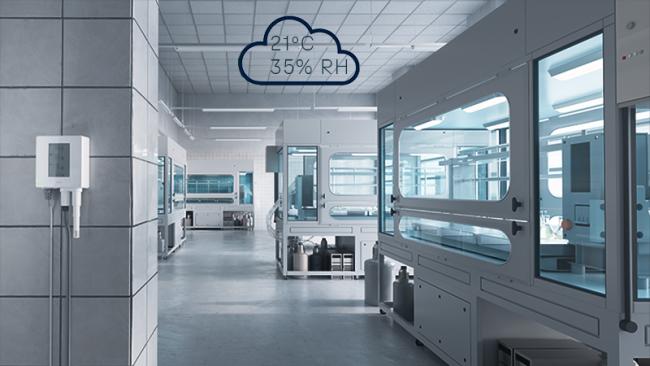
Viewlinc Cloud
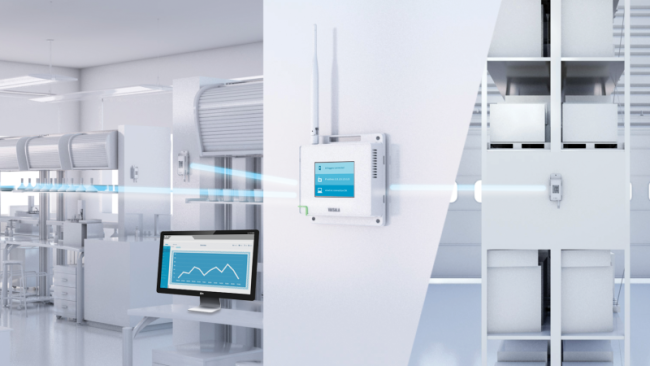
VaiNet Wireless Data Loggers
Vaisala VaiNet wireless technology delivers reliable, secure environmental monitoring with long-range, low-power data transmission for demanding applications.
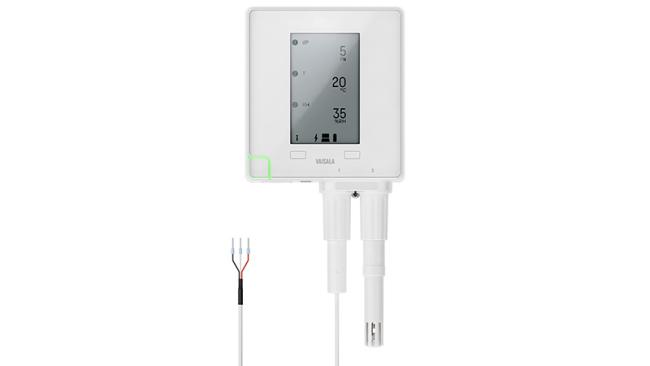
VDL200 Data Logger
The Vaisala VDL200 data logger provides reliable, PoE connected monitoring of temperature, humidity, and more, with secure data storage for critical environments.